

MeshConnect for IoT Apps: Simplify Remot…
Are you still relying on standard setups to keep your IoT applicatio…
 October 07, 2025
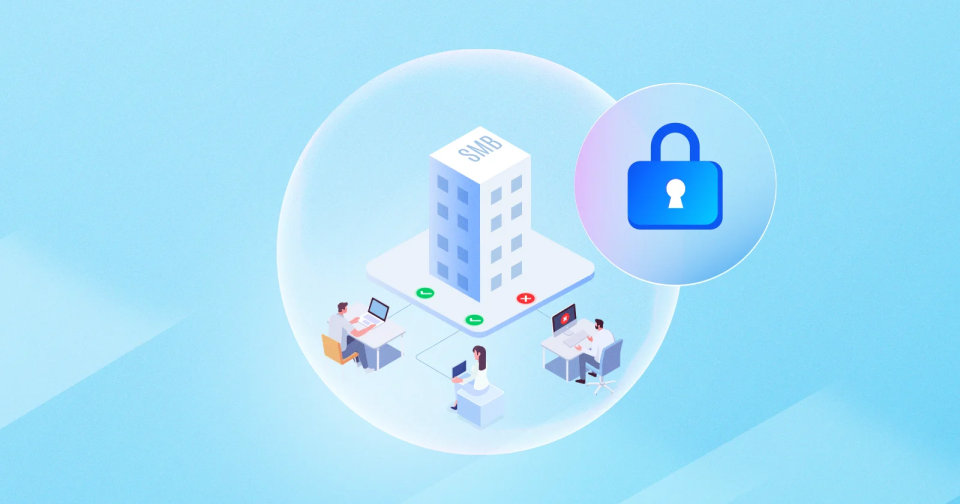
Thinking that cyberattacks are only aimed at big businesses? You’ve got it wrong. In 2023, nearly 43% of all cyberattacks targeted small and medium-sized enterprises, according to Verizon.
With smaller budgets, fewer IT staff, and little room for downtime, even a minor breach can disrupt an entire operation. The damage can drain resources, hurt customer trust, and make recovery difficult.
Conventional security models are no longer enough. Many SMBs are now shifting to a stronger approach where every user, device, and connection must be verified, which is through Zero Trust. Want to know how implementing it can protect your business? We will break it down for you.
Before explaining Zero Trust, it’s important to understand why SMBs are often targeted. Attackers always look for high-value targets with lighter defenses, and SMBs fit that profile. Common reasons include:
It’s clear why more organizations are moving toward Zero-Trust Security. But what is it? At its core, Zero Trust is the idea that no user, device, or connection should be trusted by default. Hence, every access request must be verified before it’s granted.
Zero Trust has gained attention as more SMBs realise that old “trust everything inside” security models leave dangerous gaps. This shift gives smaller businesses a chance to close security gaps and stay ahead of threats without enterprise-level resources.
Let's look at how Zero Trust Network Access strengthens security for SMBs:
Have you ever noticed how, in many businesses, almost everyone can access far more systems and data than they actually need? It’s common in SMBs where user permissions aren’t strictly managed. This might seem convenient, but it creates openings for both accidental and intentional misuse.
Zero Trust Network Access changes this by applying the principle of least privilege. It verifies each user’s identity and role before granting access, and only to the specific resources they require. By narrowing access in this way, day-to-day operations continue without unnecessary exposure.
Would you feel comfortable letting an unpatched, potentially compromised device access your most important business data? If the device being used is outdated, infected, or poorly configured, it can open the door for attackers.
Many SMBs overlook this risk, allowing any laptop, phone, or tablet to connect to business systems without proper checks. ZTNA closes this gap by assessing the device before access is granted.
It can check factors such as operating system updates, security patches, antivirus status, and encryption settings. Only devices that meet these requirements are allowed to connect.
Remote and hybrid work have expanded the number of entry points into business systems. Each connection made from outside the corporate environment can become a potential target if not properly secured.
Zero Trust enforces authentication and encryption for every connection, no matter where it originates. Identity and context are verified before granting access, removing the weaknesses of location-based trust.
How confident are you that every connection to your systems meets the same security standards? By applying the same rules to all users and locations, ZTNA keeps work flexible while preventing unauthorised access.
When applications are directly reachable over the Internet, they become visible targets for attackers. This exposure increases the risk of unauthorised access attempts, vulnerability exploitation, and automated scans by malicious actors.
Zero Trust Network Access removes this visibility by placing applications behind identity verification and secure gateways. Only authenticated and authorised users can even see that these applications exist.
How much harder would it be for an attacker to breach your systems if they couldn’t find the target in the first place? By reducing exposure, ZTNA significantly lowers the attack surface and strengthens the overall security posture.
How quickly could you respond if a user’s account or device started behaving suspiciously? Delayed detection can give attackers the time they need to cause serious damage.
Zero Trust continuously monitors user activity, device posture, and contextual signals during a session. If anything unusual is detected, access can be adjusted or revoked immediately. This real-time responsiveness allows SMBs to act before a security event turns into a breach.
By making access decisions dynamic instead of static, ZTNA provides ongoing protection that adapts to changing risks.
Research conducted by Microsoft reveals that 31% of small and medium-sized businesses have been victims of attacks such as ransomware, phishing, or data breaches. Despite this, many still hold on to practices and beliefs that leave them vulnerable.
Here are a few common security mistakes that can put SMBs at serious risk:
UTunnel offers a flexible way for SMBs to adopt Zero Trust Security without the heavy costs or complexity of enterprise systems. With a 14-day free trial, businesses can quickly see how its solutions fit their needs before making a commitment.
Our core offering, MeshConnect, delivers policy-based granular access control, ensuring users can only reach the resources they need, combined with device-level control to authorise only trusted endpoints. It integrates smoothly with SSO and SCIM for streamlined user management, and its adaptable networking design supports hybrid, remote, and multi-site environments with ease.
In addition, we provide Access Gateway for fast, cloud, or on-premise VPN deployment and OneClick Access for secure, agentless application access via a web browser. Together, these options complement MeshConnect’s ZTNA by covering VPN-based connectivity and zero-trust application access, so SMBs can choose the right model for their needs.
Not with the right tools. Modern Zero Trust solutions are designed for quick deployment and simple management, even without a large IT team.
When implemented correctly, Zero Trust policies run in the background and only require verification when necessary, keeping productivity high.
No. Zero Trust Security can be introduced gradually, starting with the most critical systems and expanding over time.
Not necessarily. Flexible pricing and scalable deployment mean you can start small and grow as your needs evolve, keeping costs predictable.
With device-level controls, only approved and secure devices can access your network, whether they are company-owned or personal.
Yes. Zero Trust applies the same security checks regardless of location, protecting access for both in-office and remote connections.
Are you still relying on standard setups to keep your IoT applicatio…
October 07, 2025
Having difficulty managing how remote teams, vendors, or contractors…
August 22, 2025
When someone connects to your business network, do you really know w…
July 09, 2025
