


Remote Access Security: Decide Who Conne…
When someone connects to your business network, do you really know w…
 July 09, 2025
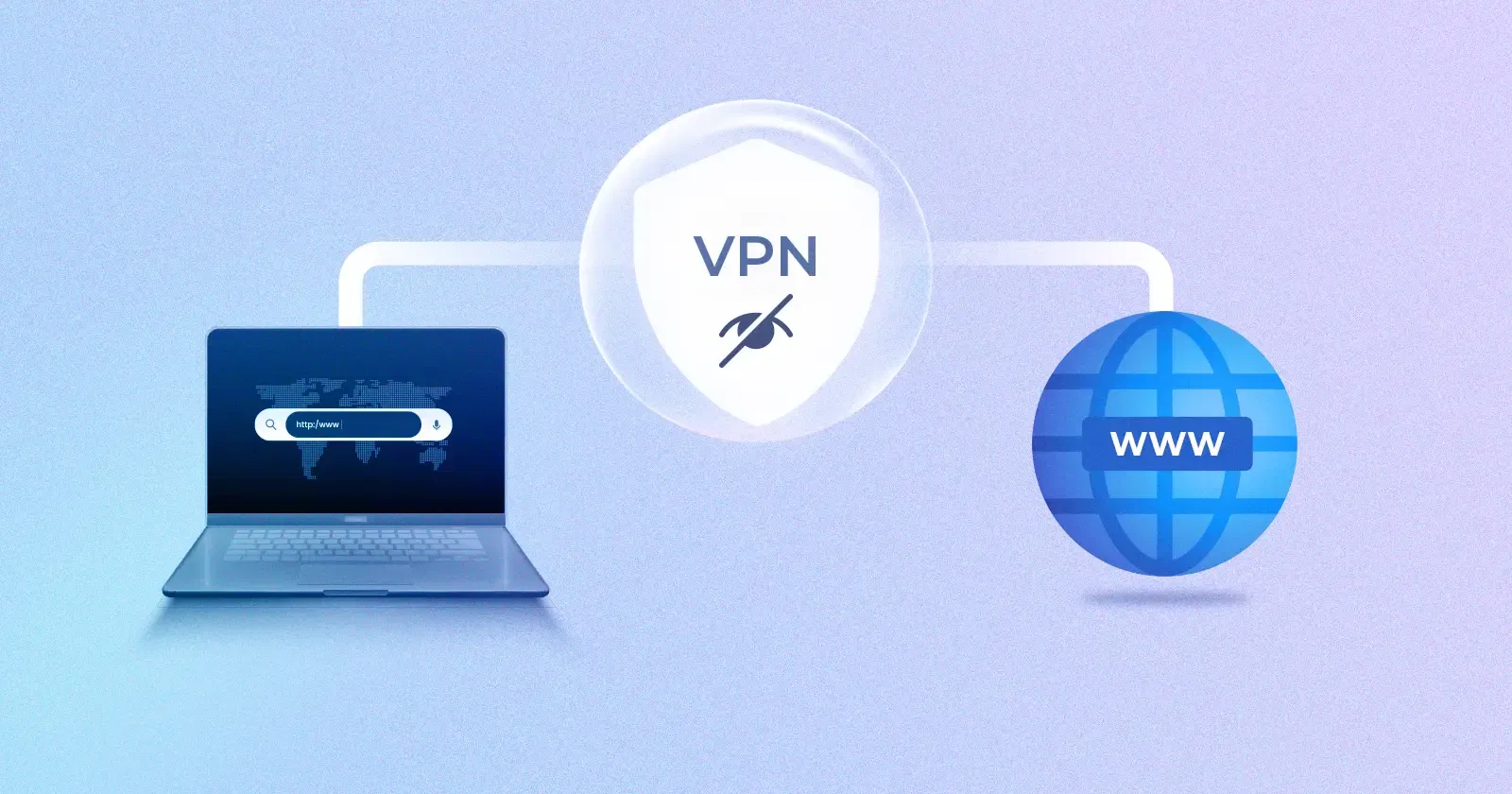
Are standard firewalls and other conventional methods not working out? You might still see VPN traffic slipping through, remote users may be connecting from restricted networks, and some tools might stop working because regular VPNs are getting blocked.
The reason is simple. Most inspection systems no longer just scan for threats. They look for patterns. And standard VPN protocols are easy to spot. Once identified, that traffic often gets flagged or dropped.
This is where VPN obfuscation comes in. It’s not about stronger encryption. It’s about hiding the fact that a VPN is being used at all. This article sheds light on VPN obfuscation. It explains how it works, where and when to use it, and how to strengthen it.
VPN obfuscation alters how VPN traffic behaves on the network. It’s used to bypass environments where traditional VPN protocols are either blocked or restricted by firewalls, DPI systems, or access controls.
Unlike standard tunneling, obfuscation changes how traffic initiates and responds during connection setup. It also modifies metadata and timing patterns that typically reveal VPN use. The result is a connection that blends into surrounding traffic and avoids basic inspection triggers.
Obfuscation isn’t a standalone protocol. It’s an added layer, most often applied over OpenVPN, to help the tunnel pass through networks that actively filter or monitor encrypted traffic. In many cases, this is the only way a VPN can function in restrictive conditions.
Obfuscated VPNs make it harder for network devices to identify or block the connection. How is it done? The traffic's surface-level attributes are modified without changing the encryption underneath.
The goal is to bypass systems that rely on packet inspection, protocol fingerprinting, or behavioral pattern matching. Obfuscation shifts how the connection looks and acts, allowing it to pass through restrictive networks undetected.
That’s where the traffic disguise techniques come in.
With these techniques in place, obfuscated VPN traffic avoids the typical markers that Deep Packet Inspection systems rely on. The tunnel isn’t invisible, but it becomes difficult to classify, which is often enough to keep the connection open in restricted or filtered networks.
If you're willing to use VPN obfuscation, you're likely dealing with some kind of restriction. But knowing when to apply it and why is just as important as how to set it up. This section covers the most common situations where obfuscation makes a difference and what role it plays in each.
Some internal environments reject anything that doesn’t fit their access policies, even outbound VPN traffic. Obfuscation alters handshake patterns and protocol behavior, making the tunnel appear less suspicious. This allows remote access tools to function where standard VPNs are silently blocked.
In cloud environments, infrastructure-level filters can throttle or drop persistent tunnels. These systems often penalize long-running encrypted connections. Obfuscation hides the tunnel’s footprint, allowing background services or remote agents to stay connected without triggering flags.
External teams and contractors often operate on networks they don't control. Hotel Wi-Fi, shared offices, or consumer-grade ISPs may block VPN ports outright. Obfuscation allows them to connect securely without needing changes on the local network.
In some environments, SIEM tools log, flag, or escalate encrypted tunnels even when access is authorized. Obfuscation lowers that visibility, helping reduce noise and avoid unnecessary investigations during compliance reviews.
Certain regions or public-facing platforms block traffic from known VPN infrastructure. These blocks may be applied regardless of content or user identity. Obfuscation removes obvious VPN indicators, improving access success rates without breaking encryption.
Teams working from public hotspots, mobile networks, or high-surveillance locations often face unreliable VPN performance. Standard tunnels are dropped or degraded. Obfuscation helps them stay connected by reshaping how their traffic is seen by upstream filters.
VPN obfuscation also comes in handy for individuals. If you're connecting from hotel Wi-Fi, public hotspots, mobile data, or traveling through regions where apps randomly stop working, enabling it helps keep your connection stable and uninterrupted.
Once VPN obfuscation is enabled, it’s easy to assume the connection is fully disguised. But inspection systems continue to evolve. If you're operating in tightly controlled environments or facing repeated blocks, a few technical adjustments can make obfuscation more effective.
Advanced techniques like packet size randomization, timing obfuscation, custom protocol variants, etc., can further strengthen obfuscation. Contact your VPN vendor or IT team to explore these options and align them with your network's security posture.
Before moving ahead with VPN obfuscation, it’s worth considering whether it’s the right fit for your environment. If your goal is limited to bypassing blocks or securing specific application traffic, other tunneling options might be more practical or easier to deploy.
Here’s how VPN obfuscation compares with commonly used alternatives:
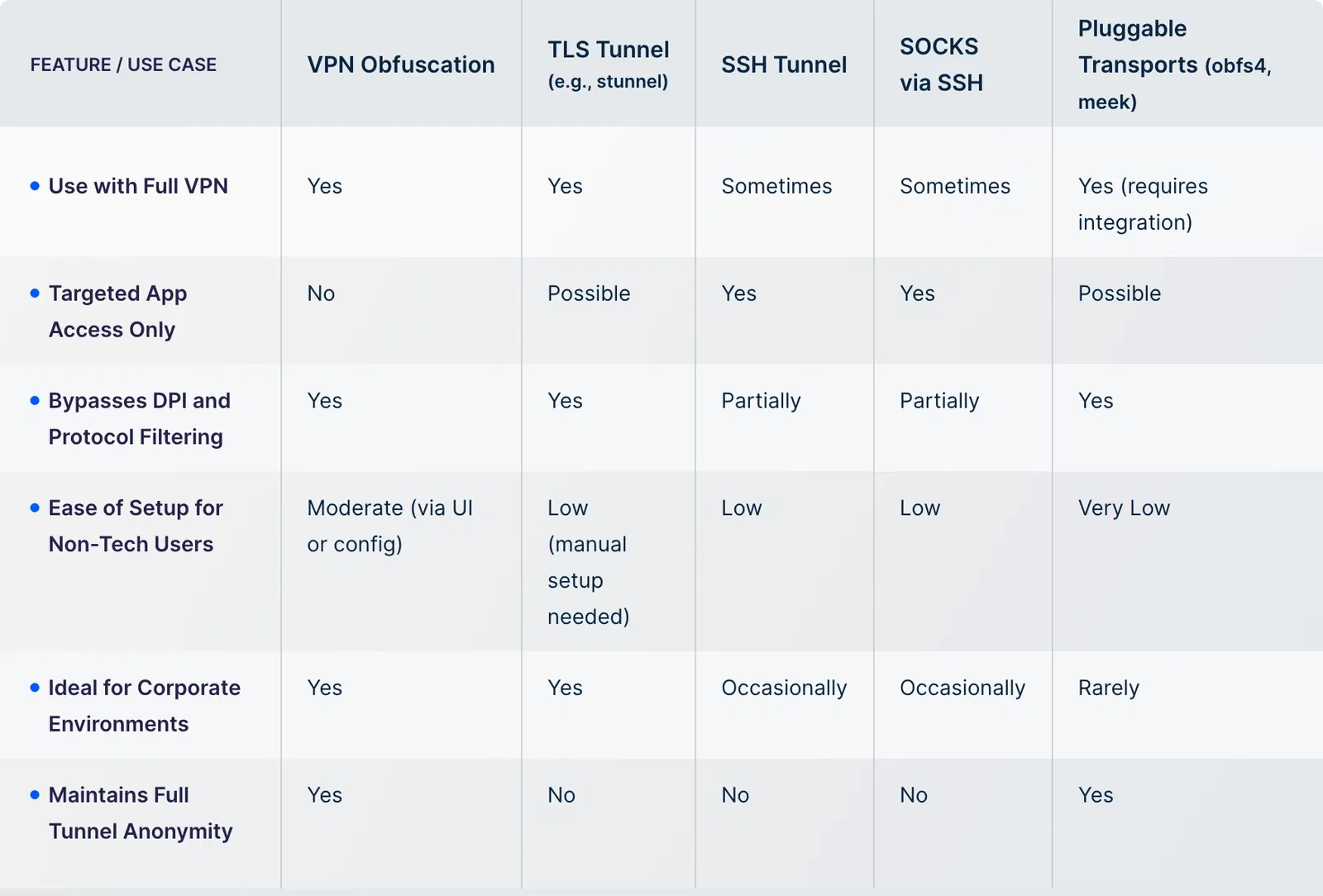
VPN obfuscation is effective only when supported by the right infrastructure. Choosing the wrong setup can result in unstable connections, minimal control, or obfuscation that doesn't actually bypass restrictions.
Enabling obfuscation is straightforward with UTunnel. You can toggle the Obfuscate OpenVPN feature in your server settings. Once it's on, your VPN traffic is disguised to look like regular internet activity, allowing connections even in networks that typically block VPNs.
The obfuscation feature works exclusively with OpenVPN (Access Gateway), which is what makes this level of traffic masking possible. Whether you're using a cloud or on-premise server, the setup takes just a few clicks.
Need help setting up VPN obfuscation that works? Talk to us.
While obfuscation is valuable in restrictive environments, it comes with a few trade-offs:
No. While it improves your chances of bypassing filters or blocks, some advanced firewalls or nation-level censorship may still detect or throttle VPN traffic. It significantly improves success rates, but nothing is a complete solution.
Not necessarily. If you're not facing restrictions or VPN blocks, standard encryption may be enough. But if you're planning to scale, operate across borders, or deal with DPI-based filters, having obfuscation ready is a smart move.
Once enabled, your VPN traffic should no longer trigger blocks or DPI-based restrictions. To confirm, test the connection from a restricted or monitored network and monitor behavior. If it connects reliably where standard VPNs fail, it’s working.
Yes, using obfuscation is legal in most regions. But the context matters. Some countries restrict or ban VPN use entirely. It’s your responsibility to check local laws before deploying it in such environments.
Yes. UTunnel offers a 14-day free trial and a money-back guarantee. You can set up a VPN server, enable obfuscation, and test it across real-world conditions before rolling it out more broadly.

When someone connects to your business network, do you really know w…
July 09, 2025
Thinking that cyberattacks are only aimed at big businesses? You’ve …
August 22, 2025
Having difficulty managing how remote teams, vendors, or contractors…
August 22, 2025
